
Ezidoits Helpdesk4.1.2 - Download
You'll be able to download in few seconds.
Publisher Description
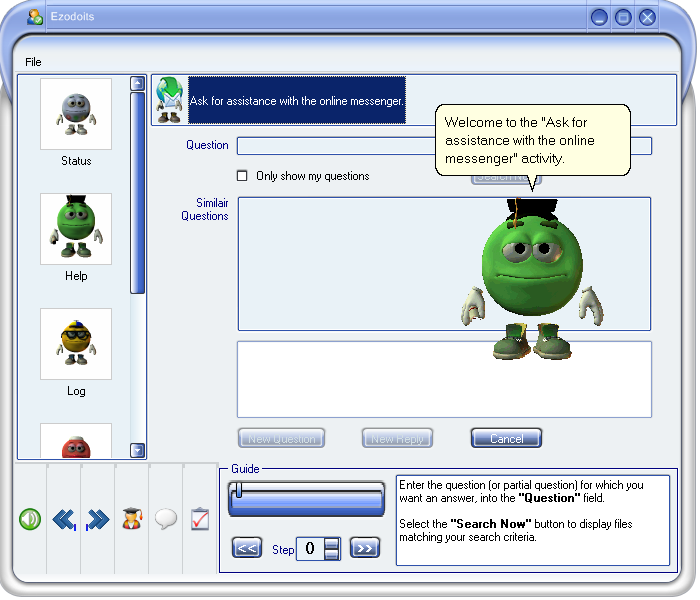
Ezidoits Helpdesk gives you real-time access to our Help Desk, and our trained, friendly and efficient staff.
Should you have a query - whether to do with Ezidoits as an application, or in a wider computer-usage sense - this module has a Helpdesk enquiry section where you can speak to our staff, as well as a reference section for "Frequently Asked Questions". This allows you to browse through queries others have made, in case your query has already been asked and answered. ( It may be that your question is an original one, in which case your enquiry will benefit others as well ! )
Alternatively, via the Instant Messenger function, you can send an e-mail enquiry and thus save the time waiting for a response.
Our staff monitor the Messenger service closely and will respond either with the answer to your question or with an indication of any delay. We don't portray ourselves as knowing the answers to every question, and some may take a little more research than others - but you will will receive a prompt and complete response to any query you make. If appropriate, that response may include a suggested link or links, to sites for more information.
You can activate all the Ezidoits Departments and get a guided tour through the various functions available. Each department is overseen by an animated "Doit" that carries out selected tasks and provides an introductory tutorial giving an overview of how Ezidoits can make your PC ownership a more rewarding an enjoyable experience.
About Ezidoits Helpdesk
This Helpdesk & Remote PC program is available in English. It was last updated on 29 September, 2026. Ezidoits Helpdesk is compatible with the following operating systems: Windows, Windows-mobile.
The company that develops Ezidoits Helpdesk is Laek Limited. The latest version released by its developer is 4.1.2.
The download we have available for Ezidoits Helpdesk has a file size of N/A. Just click the green Download button above to start the downloading process. The program is listed on our website since 2010-02-08 and was downloaded 0 times. We have already checked if the download link is safe, however for your own protection we recommend that you scan the downloaded software with your antivirus. Your antivirus may detect the Ezidoits Helpdesk as malware if the download link is broken.
How to install Ezidoits Helpdesk on your Windows device:
- Click on the Download button on our website. This will start the download from the website of the developer.
- Once the Ezidoits Helpdesk is downloaded click on it to start the setup process (assuming you are on a desktop computer).
- When the installation is finished you should be able to see and run the program.
Program Details
System requirements
Download information
Pricing
Version History
version 4.1.2
posted on 2010-02-08
A new online helpdesk service using an inbuilt Instant Messenger lets you talk directly to the Ezidoits Helpdesk Staff about your computer issues.
Disclaimer
External Download
We do not host Ezidoits Helpdesk on our servers. We did not scan it for viruses, adware, spyware or other type of malware. This app is hosted by the software publisher and passed their terms and conditions to be listed there. We recommend caution when installing it.
The external download link for Ezidoits Helpdesk is provided to you by apps112.com without any warranties, representations or guarantees of any kind, so access it at your own risk.
If you have questions regarding this particular app contact the publisher directly. For questions about the functionalities of apps112.com contact us.
